
This SIM card provides 5GB of 4G data in China, Hong Kong and Macau. The validity period is 10 days.
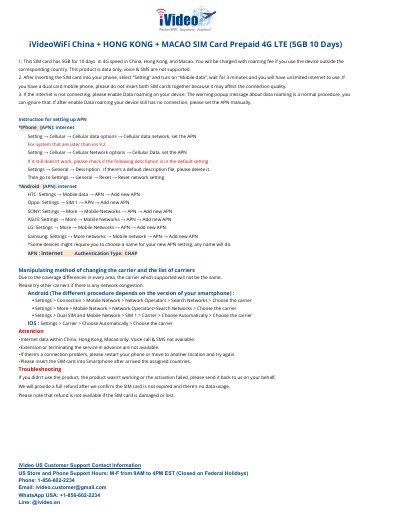
The iVideoWiFi China + Hong Kong + Macao SIM card is a prepaid 4G LTE card that provides 5GB for 10 days in China, Hong Kong and Macao. It is data only: voice calls and SMS are not supported, and using the device outside the corresponding country is charged a roaming fee.
The single-page document explains how to insert the card, turn on mobile data and enable data roaming, then gives APN settings (APN: internet, Authentication Type CHAP) for iPhone and for Android brands such as HTC, Oppo, Sony, ASUS, LG and Samsung. It also covers changing the network operator manually, usage notes, troubleshooting and the refund and customer support contacts.
| Data allowance | 5GB |
|---|---|
| Validity | 10 days |
| Coverage | China, Hong Kong, Macao |
| Network | 4G LTE prepaid |
| Voice and SMS | Not supported (data only) |
| APN | internet |
| Authentication Type | CHAP |
No. The product is data only; voice and SMS are not supported.
The card provides 5GB at 4G speed for 10 days in China, Hong Kong and Macao.
Set the APN to internet and the Authentication Type to CHAP.
Set the APN manually; if it still does not work, check for a default description file, delete it and reset the network settings.
Send it back; a full refund is provided after confirming the SIM card is not expired and there is no data usage, but not if the card is damaged or lost.