
This is a manual for using TYT TH-F6 Hunting. It introduces the features of the product, including installing batteries, turning on and off power, adjusting volume, selecting channels, sending alarms, and switching power.
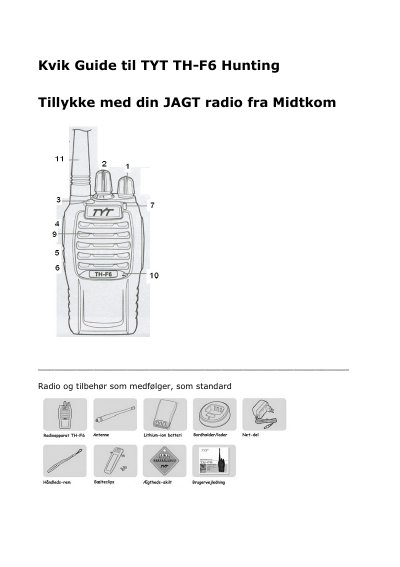
The guide describes the included radio and accessories, then explains how to install and charge the Li-ion battery. It details the function of each control: power/volume knob, channel selector, alarm/high-low power button, PTT, compander/whisper button, and monitor/battery-check button. LED indicator meanings are also provided.
| Battery type | Li-ion |
|---|---|
| Antenna connector | SMA female on antenna, male on radio |
| Pre-programmed channels | 1-7 Swedish, 8-13 Norwegian, 14-16 Danish hunting channels |
Press the battery in until you hear a click from the latch (14). To remove, press the latch button and pull the battery back.
A short press on the red button toggles between high and low power; high power gives longer range but uses more battery.
Connect both radios with a cloning cable, turn on the target radio, hold button 5 on the source radio while turning it on, release when its LED turns red, then press button 5 again until the source LED blinks red and the target LED blinks green; cloning finishes when both LEDs stay solid.