
This is a user manual for the CIS system
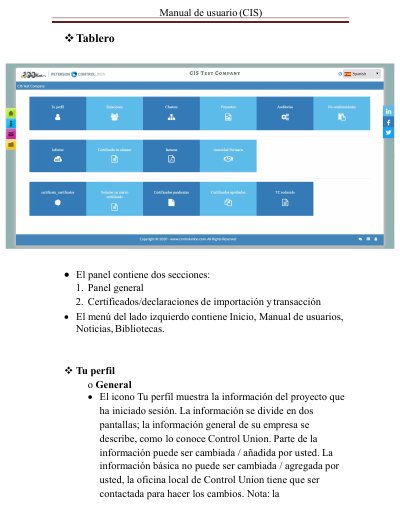
This is the Spanish-language user manual for the CIS system used by Control Union. It walks the reader through the dashboard, which is split into a general panel and import/transaction certificates and declarations, and through the left-hand menu with Home, User manuals, News and Libraries. It then explains the Your Profile screen, where general company information as known by Control Union is shown, and notes that basic data can only be changed by contacting the local Control Union office.
The rest of the manual describes contact management, adding new users to the user lists, and the Relations icon that shows the suppliers and buyers linked to the company as part of the supply chain, including how to request a new relation. It also covers the Projects icon with projects registered and certified by Control Union Certifications, project information on scope, status and modules, products and production units with area in hectares and number of fields and farmers, processing units, product identification, traceability, transport/shipping, pending certificates and approved certificates. This manual is written in Spanish.
Basic information cannot be changed by the user; the local Control Union office has to be contacted to make the changes.
No. Once a new request is completed, Control Union must approve each request as part of system integrity and to avoid duplications.
It shows the companies linked to you as part of the supply chain, which are related suppliers or buyers.
Through the upload file function: select the search file, find the document on your computer and select Upload file.