
This is a user manual that explains how to use the Hagroy Wi-Fi module to make your alarm system, electric fence, automatic door or home automation device smart.
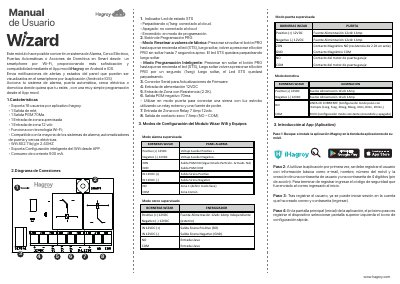
The Hagroy HS-WIZARD is a Wi-Fi module that makes it possible to convert an alarm system, electric fence, automatic door or home automation setup into a smart system controlled from a smartphone through the iHagroy app for Android and iOS. It sends alert and panel status notifications to the phone and lets the user operate the connected system remotely.
The module includes a STS status LED, a PRG button for factory reset and smart programming, a serial connector for firmware updates, a 12 VDC power input, a supervised zone input with 2.2K resistor, a 70 mA negative PGM output, a 7 A 12 VDC relay zone input and a 7 A dry contact output (NO-COM). It works in four selectable modes—supervised security, supervised door, home automation and supervised fence—over a 2.4 GHz Wi-Fi network (802.11b/g/n) configured from the app. This manual is written in Spanish.
| Wi-Fi | 802.11b/g/n, 2.4 GHz |
|---|---|
| Power supply input | 12 VDC |
| Current consumption | 500 mA |
| PGM output | Negative, 70 mA |
| Relay zone input | 7 A at 12 VDC |
| Dry contact output | 7 A (NO-COM) |
| Supervised zone input | 2.2K resistor |
| App users supported | 16 users |
| Firmware updates | Via serial connector |
The iHagroy mobile app, available for Android and iOS.
Press and hold the PRG button until the STS LED lights, release, then press and hold PRG again for about 7 seconds until the STS LED blinks.
Press and hold PRG until the STS LED lights, release, then press PRG again for one second and release; the STS LED keeps blinking.
Four: supervised security (alarm), supervised door, home automation, and supervised fence.