
This is a user manual of the Tokheim Quality Calculator Hand Held Terminal User Interface Manual.
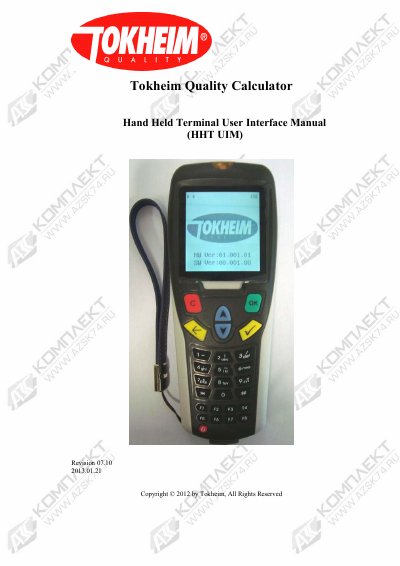
This manual describes all the menus and sub-menus shown on the Hand-Held Terminal (HHT) when configuring, maintaining and accessing data in a dispenser that uses the Tokheim Quality Calculator (TQC). The HHT receives data from the TQC, the user sets parameters, and the values are sent back to the TQC. The document also defines the function keys and shortcut keys used to operate the terminal.
The equipment section lists the HHT hardware: an IrDA interface, an alphanumerical keypad, a dot matrix display, a serial port for downloading software to the HHT, and a rechargeable battery, plus a serial port for communicating to the TQC instead of IR (China only). The menu chapters then cover operation, management, maintenance, configuration and setup functions such as totals, PIN access, diagnostics, tests, backup, software update, hydraulic and communication settings.
| Infrared interface | IrDA |
|---|---|
| Keypad | Alphanumerical keypad |
| Display | Dot matrix display |
| Serial port | RS-232 with USB connection |
| Battery | Rechargeable |
| Software download port | Serial port for downloading of SW to HHT |
It is used for setting up the configuration, setup, maintenance, operation and data access of the Tokheim Quality Calculator (TQC).
TQC stands for Tokheim Quality Calculator.
It contains an IrDA interface, an alphanumerical keypad, a dot matrix display, a serial port for downloading software to the HHT and a rechargeable battery.
Yes, a serial port to communicate to the TQC instead of IR is listed for China only.