
This document is Pico-Pi-IMX7 Quickstart Guide
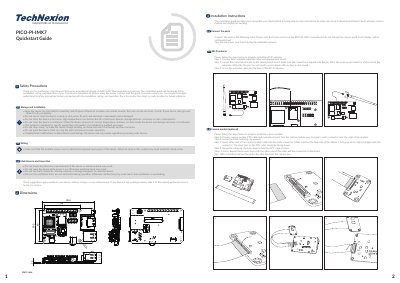
This Quickstart Guide from TechNexion covers the PICO-PI-IMX7, a PICO series evaluation kit based on the NXP i.MX7 Dual applications processor. It includes safety precautions for storage, installation, wiring, maintenance and inspection, along with board dimensions in millimetres.
The guide gives step-by-step instructions for connecting the Wi-Fi antenna, optional camera module, VOICEHAT, display, cardboard stand and final assembly, and lists external connectors and jumper settings. It also describes software installation, where the preloaded unit downloads and installs OS images over a hardwired network through the LAN RJ45 connector.
| Processor | NXP i.MX7 Dual applications processor |
|---|
No. The guide states not to power the board during the installation process.
Press the small round connector at the end of the extender cable onto the round antenna pin until it clicks, then screw the extender cable into the base of the Wi-Fi antenna.
Insert the camera module cable with the blue side of the ribbon facing up and the silver pins facing down, then swivel the retaining clip back down to hold the cable in place.
Connect a network to the unit through the LAN RJ45 connector and power it up, then follow the steps on the screen to load the software.