
SparkFun Inventor's Kit for MicroView is an experiment kit for exploring the features and capabilities of the SparkFun MicroView. The kit includes components that can be used to build 11 experiments that will help you gain a better understanding of how the MicroView works.
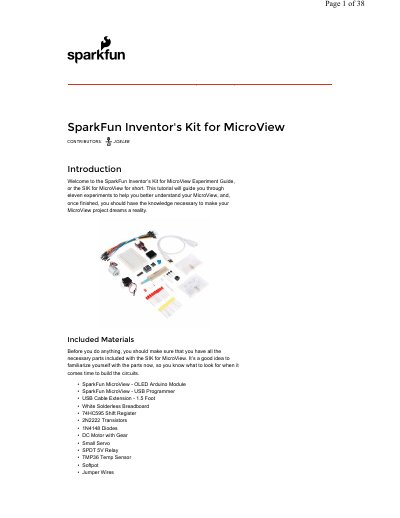
The SparkFun Inventor's Kit for MicroView Experiment Guide leads users through eleven experiments to help them understand the MicroView and build their own projects. It lists the kit's included parts, including the MicroView module, USB programmer, breadboard, shift register, transistors, diodes, motors, sensors, LEDs, resistors, and jumper wires.
The MicroView is an Arduino-compatible module with a built-in 64x48 OLED display and an ATmega328P microcontroller. The guide covers MicroView hardware specifications, pin configuration, and steps to install drivers, the Arduino IDE, and the MicroView library before running sketches.
| Display | 64x48 OLED Display |
|---|---|
| Microcontroller | ATmega328P |
| Operating Voltage | 5V |
| Input Voltage | 3.3VDC - 16VDC |
| Digital I/O Pins | 12 |
| Analog Input Pins | 6 |
| Flash Memory | 32 KB |
| Clock Speed | 16 MHz |
The MicroView uses an ATMEL ATmega328P microcontroller.
The tutorial guides users through eleven experiments.
Select Arduino Uno in the Arduino IDE when uploading sketches to the MicroView.
The MicroView has a 64x48 OLED display.