
This manual mainly introduces the use methods, precautions, etc. of Counseling▪ Microscope 3R-PPMC-S.
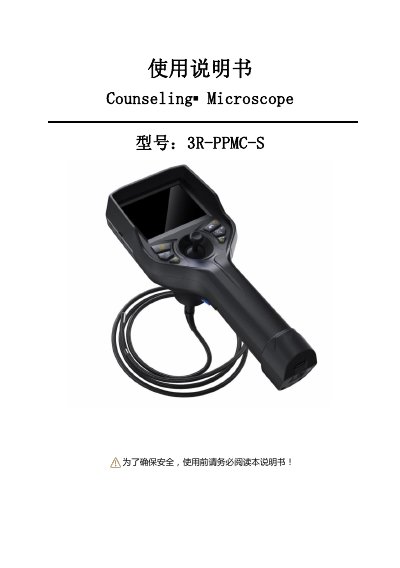
This is the Chinese user manual for the Anyty (艾尼提) 3R-PPMC-S industrial video borescope, sold under the product name Counseling▪Microscope. It covers the items supplied in the case, the buttons and ports on the handset, the intended applications, after-sales service and safety warnings, followed by the technical specifications of the probe, display, battery and storage.
The second half walks through the working procedure: taking the unit out of its case, checking it before use, starting an inspection, bending the probe, and finishing up. It then explains image capture and playback, LED brightness adjustment, zoom, connecting to a computer over MicroUSB (MSDC mode) and the function settings menu, and ends with a troubleshooting table listing common faults, possible causes and remedies. This manual is written in Chinese.
| Probe diameter | Φ6 / Φ3.9 mm |
|---|---|
| Camera resolution | 1 megapixel |
| Depth of field | 10 mm–100 mm (optional 20–150 mm) |
| Field of view | 120° (optional 80°) |
| Illuminance | ≤100000 lx |
| Effective working length | 1.5 m (other lengths customizable) |
| Bending | 360° all-directional, angle ≥150° |
| Display | 3.5/5.7 inch full-color TFT LCD, 640*480 |
| File formats | JPG / MOV |
| Water and dust protection | Probe, objective lens and cable rated IP67 |
| Storage media | 16 GB TF card (max 32 GB supported) |
| Battery life | ≥4 hours, up to 8 hours with built-in power |
| Battery | Dual 3.7 V, 3200 mAh, removable rechargeable lithium |
| Charging | DC 5 V, max 1 A |
| Weight | 0.55 kg–0.8 kg including battery |
| Operating temperature | Main unit -15 °C to 50 °C; probe -25 °C to 80 °C |
| Storage temperature range | -23 °C to 63 °C, max 92% relative humidity, non-condensing |
It is used for defect and fault inspection in automotive engines and parts, power plants, special inspection and aerospace, and only for industrial equipment or industrial site inspection.
Long-press the power button for 3 seconds to switch on, and long-press it for 3 seconds again to switch off. A short press shows the current battery level.
Use a Class 10 or higher TF card; the maximum supported capacity is 32 GB.
With the unit switched off, connect the MicroUSB port to a computer with a MicroUSB cable, choose MSDC and press OK to copy the files.