
Describes the use of Opto Comp Analog Optical Compressor, including connection methods and effect descriptions
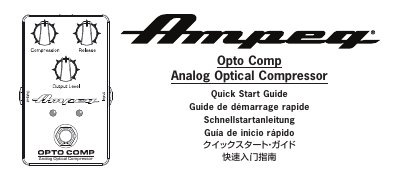
This is the Ampeg Opto Comp Analog Optical Compressor quick start guide. It covers a standard setup, a PA/recording setup and a drive blend diagram, then describes the front, rear, side and bottom panel features: Input, Output, On/Off switch, Compression, Release, Output Level, Gain Reduction LED, power socket, 9V battery and a 15 dB Pad.
The guide walks through getting started with the pedal, from making initial connections and installing a 9V battery or optional AC/DC power supply to adjusting the Output Level, Compression and Release knobs. It closes with technical specifications and Ampeg warranty and support information, including the website for downloading the full owner's manual in English. The same content is repeated in French, German, Japanese and Chinese.
| Signal-to-Noise Ratio | 82 dB (100 Hz @ 1.00V RMS) |
|---|---|
| Maximum Gain | +14 dB |
| Power Requirements | Internal: 9V battery; External: 9V DC, ≥25mA |
| Size (H x W x D) | 2.2 x 2.6 x 4.5 in / 56 x 66 x 114 mm |
| Weight | 0.6 lb / 0.3 kg |
The box contains the Opto Comp Analog Optical Compressor pedal and a Quick Start Guide.
You can insert a 9V battery (not included) or connect an optional AC/DC power supply to the power input socket.
The Pad reduces the input level by 15 dB.
Ampeg's website lets you retrieve a full-version, printable owner's manual in English for your product.