
This document is about the configuration instructions of the mobile APP for Daikin, Toshiba and Hitachi air conditioners. It introduces how to connect the air conditioner adapter to the air conditioner and how to add the air conditioner device on the mobile APP.
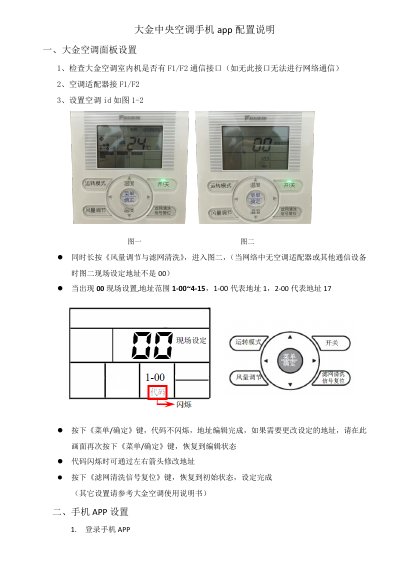
This document gives configuration steps for Daikin, Toshiba and Hitachi air conditioners. It covers panel settings for each brand and the mobile app setup process, including selecting the Wi-Fi air conditioner adapter and adding device information.
It notes that adapters are not interchangeable between brands and that each controller needs a unique device address code. For multiple controllers, the app requires one setting per controller. This manual is written in Chinese.
| Daikin address range | 1-00 to 4-15 |
|---|---|
| Toshiba SET DATA range | 1 to 64 |
| Hitachi address example | 00-01 represents address 1 |
| Daikin communication interface | F1/F2 |
| Toshiba communication interface | U1/U2 |
No. Adapters are not interchangeable and correspond one to one with their brand.
N controllers require N settings in the mobile app.
Network communication cannot be performed.