
Your new sound-equipped KATO General Electric P42 locomotive comes equipped with a ESU- LokSound Select 6 Aux 93413 sound decoder and is designed to operate in DCC mode, but will function in DC mode with limited capabilities. In DCC mode, the address programmed by Kato USA on assembly is _______. To change settings on a DCC system, please consult www.loksound.com for the most current revision of the downloadable PDF decoder manual for the ESU-LokSound Select 6-Aux 93413 GE P42 decoder. When on the DC system, the sound will function for the engine motor sounds only. No other function will perform. However, certain devices such as the MRC Tech 6 sound controller or Black Box are able to operate additional sounds in DC mode. As with our other DC operated locomotives, the head and rear lights will illuminate when the voltage is high enough. It should be noted that the initial start voltage in this sound equipped unit in DC mode is higher than a standard non sound equipped locomotive. In DC operation, the headlights are dependant upon the direction of the locomotive. You will need to use a DCC system to modify the headlight configuration if changes are desired from this preprogrammed setup. Please note that the switch on top of the model to control lighting effects in analog (DC) mode has been disabled and should not be rotated. All lighting functions are now controlled via the decoder. Troubleshooting: 1. Dirt on rails and wheels can cause a mak
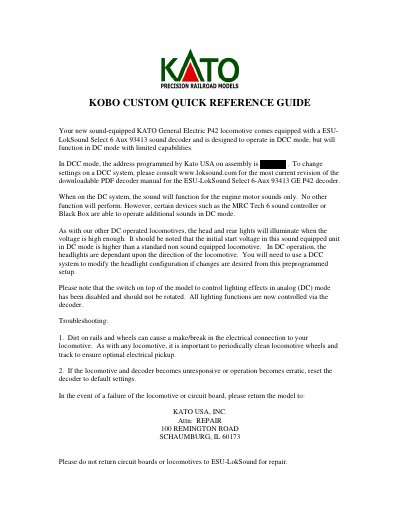
This two-page quick reference guide covers the Kato Kobo sound-equipped GE P42 "Genesis" locomotive, which comes fitted with an ESU-LokSound Select 6 Aux 93413 sound decoder. It explains that the model is designed for DCC mode but will also run in DC mode with limited capabilities, where only engine motor sounds work and the head and rear lights follow the direction of travel. It also notes that the lighting switch on top of the model has been disabled, and gives troubleshooting steps plus the KATO USA repair address in Schaumburg, Illinois.
The second page lists LokSound Select decoder technical data, the default function key assignments from F0 through F21, CV tables with ranges and default values, and the CV48 sound choices for airhorns, bells and brake squeals. A note reminds users to set CV 32 to 1 before changing CVs 257-511, and a decoder reset is done by writing value 08 into CV 08. The page points to www.LokSound.com for the complete decoder manual.
| Speed steps | NMRA/DCC with 14, 28, 128 speed steps |
|---|---|
| Addresses | 2-digit (short) or 4-digit (long) addresses |
| Motor pulse width frequency | 31.25 kHz |
| Function outputs | 6 outputs, 250 mA load per output |
| Audio amplifier | 2W at 4 Ohms load |
| Speakers | 2 x 4 Ohm speakers |
| Memory capacity | 32 MBit |
| Sound channels | 8 sound channels, all playable at once |
| Sounds | Over 20 different sounds |
| Dimensions | 1.02 x 0.62 x 0.18 inch (25.5 x 15.5 x 4.5 mm) |
Write value 08 into CV 08 to reset the decoder.
CV 32 must be set to 1 before changing CVs 257-511.
F8 controls the prime mover sound on/off (mute).
The guide directs you to www.LokSound.com for the complete user manual.