
This is the operating manual of Beilian 4-inch color screen, which mainly introduces the functions and usage methods of the product's power on interface, standby page, operation interface, query interface, and setting parameter interface.
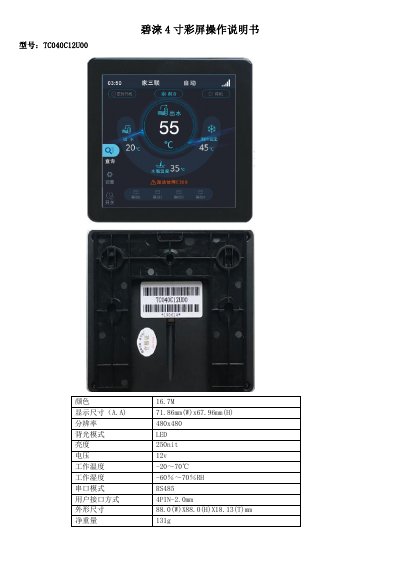
This document is the operation manual for the Beilian TC040C12U00, a 4-inch color screen controller with a 480x480 resolution and 16.7M colors. The device operates on 12V and supports RS485 serial communication. It features a user interface for controlling heating, cooling, and hot water modes, as well as monitoring system status and temperatures. This manual is written in Chinese.
| Display Resolution | 480x480 |
|---|---|
| Display Colors | 16.7M |
| Display Size | 71.86mm(W)x67.96mm(H) |
| Operating Temperature | -20~70℃ |
| Communication Interface | RS485 |
| User Interface | 4PIN-2.0mm |
Touch the 'Power/Unlock' key for about 3 seconds until a 'beep' sound is heard and the backlight becomes bright.
The default unlock password is 1234.
Unlock the screen, touch the 'Auto' key for 3 seconds to enter clock setting, then use '+' and '-' keys to set hours and minutes.
Fault code E011 indicates a high pressure protection fault.