
SensePlus Indoor Air Quality Monitor (model: MX-AQ-01) is a smart home product that monitors multiple air quality indicators, including PM2.5, TVOC, CO2, formaldehyde, indoor temperature and humidity. It can also trigger automatic smart operations based on these data, such as automatically turning on the air purifier when the air quality level is bad.
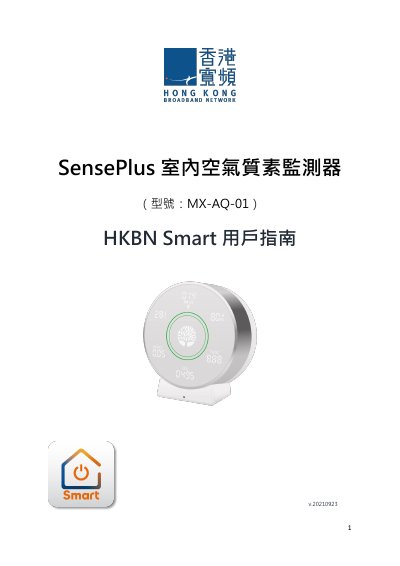
This user guide describes the SensePlus indoor air quality monitor, model MX-AQ-01, which monitors PM2.5, volatile organic compounds (TVOC), carbon dioxide (CO2), formaldehyde, indoor temperature and humidity, and can use those air readings to trigger automated smart actions. The guide is written for use with the HKBN Smart mobile app.
The document explains how to download and install the HKBN Smart app, add the monitor to a 2.4 GHz Wi-Fi network, read the main screen and browse the past month of data records, set up automation, view device information, check for firmware upgrades and remove the device. It ends with the product specifications and the repair and maintenance contact details of the agent/distributor. This manual is written in Chinese.
| Safety certification | CE |
|---|---|
| PM2.5 range and accuracy | 0~999 μg/m³, accuracy 1 μg/m³ |
| CO2 range and accuracy | 350-5000 PPM, accuracy 1 PPM |
| Formaldehyde (HCHO) range and accuracy | 0~2.5 mg/m³, accuracy 0.01 mg/m³ |
| TVOC range and accuracy | 0~9.99 mg/m³, accuracy 0.01 mg/m³ |
| Humidity range and accuracy | 0~99 %RH, accuracy 1 %RH |
| Temperature range and accuracy | -9~50 °C, accuracy 1 °C |
| Battery capacity | 1400 mAh |
| Input power | DC 5V / 2A |
| Body dimensions | 98 x 100 mm |
| Weight | 248 g |
The device currently supports only 2.4 GHz Wi-Fi, so both the phone and the device must be on a 2.4 GHz network rather than a 5 GHz one. If both bands share the same network name, the guide suggests separating the names or temporarily turning off the 5 GHz network.
It monitors several air quality indicators, including PM2.5, volatile organic compounds (TVOC), carbon dioxide (CO2), formaldehyde, indoor temperature and humidity.
You can view the data recorded by the monitor for the past month through your phone.
On the device settings screen, tap the remove device button and then confirm; the device is then removed from the app.