
Z100 Smart Lock User Manual, introduces the functions and features of the smart lock, the use instructions, and how to enter the menu, register the administrator, ordinary users, temporary users, and delete users.
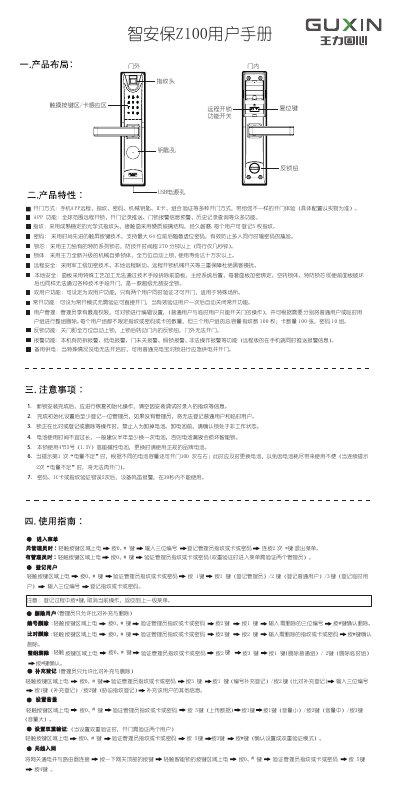
The 智安保 (Zhi'anbao) Z100 is a smart door lock whose user manual describes its unlocking methods: app remote unlock, fingerprint, password, mechanical key, IC card (optional) and combination verification. The fingerprint reader is an optical type with a hard glass contact surface and stores five fingerprints per user, while the touch keypad accepts virtual passwords of up to 64 digits. The lock cylinder is described as a Wangli special-protection cylinder with a technical-opening time of over 270 minutes, and the self-latching lock body is rated for more than 100,000 cycles.
The manual explains the keypad menu: registering an administrator, registering normal and temporary users, deleting users by number or by group, volume settings, double verification and pairing with a wireless gateway. An administrator has the highest rights, and the three user groups share a total capacity of 100 fingerprints, 100 cards and 10 passwords. It also covers the app monitoring and remote unlock procedure, the normally-open mode, the anti-tamper, low-battery, door-not-closed, fake-lock and illegal-operation alarms, and emergency power from a power bank; the lock runs on four AA (1.5V) alkaline batteries. After installation the lock should be initialized and at least one administrator registered. This manual is written in Chinese.
| Battery | 4 x AA (1.5V) high-energy alkaline batteries |
|---|---|
| Fingerprints per user | 5 |
| Password length | Up to 64 digits with virtual digits |
| Total fingerprint capacity | 100 fingerprints across the three user groups |
| Card and password capacity | 100 cards, 10 passwords |
| Cylinder technical-opening resistance | Over 270 minutes |
| Lock body service life | More than 100,000 cycles |
| Lockout after failed verification | Alarm and 30-second lockout after 5 errors |
| Mechanical key rotation | 180 degrees left or right |
Each user can register up to five fingerprints.
It uses four AA (1.5V) high-energy alkaline batteries, and the manual advises using branded batteries.
Insert the mechanical key into the keyhole and turn it 180 degrees; turn left for a left-opening lock body and right for a right-opening one.
The device sounds an alarm and cannot be used for 30 seconds.