
Euwise smart electric heater user manual, including product technical parameters, installation and use methods, error codes, product electrical principle diagram, product packing list, after-sales service, warranty card and other content
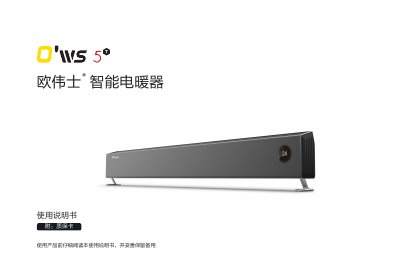
The Ouweishi 5T2500 and 5T3000 are smart electric heaters with 2500 W and 3000 W power ratings. The manual covers technical parameters, leg installation, display and key functions, five operating modes, system settings, child lock, Wi-Fi pairing, remote control, light strip behavior, voice recognition and voice announcements.
It also includes error codes, an electrical schematic, a packing list, after-sales service information and a warranty card. The document lists rated voltage 220 V, a 3.0 m power cord, a 16 A socket and recommended heating areas of 20 ㎡ or less for 5T2500 and 25 ㎡ or less for 5T3000. This manual is written in Chinese.
| Model | 5T2500 / 5T3000 |
|---|---|
| Power | 2500 W / 3000 W |
| Dimensions (L × W × H) | 1500 × 90 × 170 mm / 1710 × 90 × 170 mm |
| Weight | 7.3 kg / 7.9 kg |
| Recommended heating area | 20 ㎡ or less / 25 ㎡ or less |
| Rated voltage | 220 V |
| Power cord length | 3.0 m |
| Power socket | 16 A |
The rated voltage is 220 V.
The 5T2500 is recommended for 20 ㎡ or less, and the 5T3000 for 25 ㎡ or less.
Long-press the mode key for 3 seconds to enter the system settings page.
Press and hold the up and down keys together for 3 seconds to turn on the child lock.