
Procorem Tenant Event Import Guide

A guide to using Procorem to log in, log out, and import tenant events.
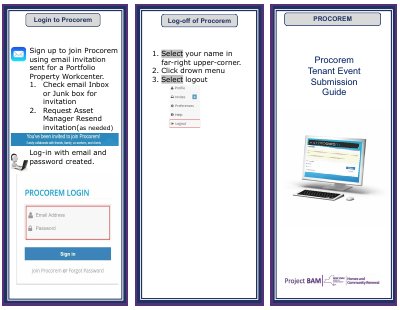

Procorem Tenant Event Import Guide - cover page
Brand
Procorem
Category
Healthcare software
Document type
User Manual
Language
English
Pages
2
File format
PDF
File size
383 KB
Published
30 October, 2023
Updated
30 October, 2023
MD5 checksum
C349C572427291B7832537C6166B87F6

About this manual

This guide explains how to log in to Procorem and import tenant event files. Users can upload NAHMA or XML formats, review results, and resolve errors. Manual submission is also supported.

The guide includes navigation steps, file type requirements, compliance periods for NYSHCR, and links to additional resources like a tutorial video and help website.

What's inside

  • Log-in to Procorem
  • Import Tenant Events
  • File Formats Accepted
  • NYSHCR Compliance Periods
  • Manual Submission
  • Review and Resolve Errors
  • Submit Tenant Events

Frequently asked questions

What file formats can be uploaded for tenant events?

NAHMA or XML file types can be uploaded.

When is the monthly tenant event submission due?

The monthly submission is due the 20th of each month.

What is the compliance period for NYSHCR tenant events?

The compliance period is monthly, due the 20th, and annual submissions are from January through March.

How do you start the tenant event import process?

Select Tenant Events, then click View Events, then Import Tenant Events.

Download PDF (383 KB)