
The product is Herkules 2 Microwave Motion Sensor for Industrial Doors. It can distinguish between people and vehicles and has a minimum installation height of 3 meters. The address can be set via DIP switch and remote control
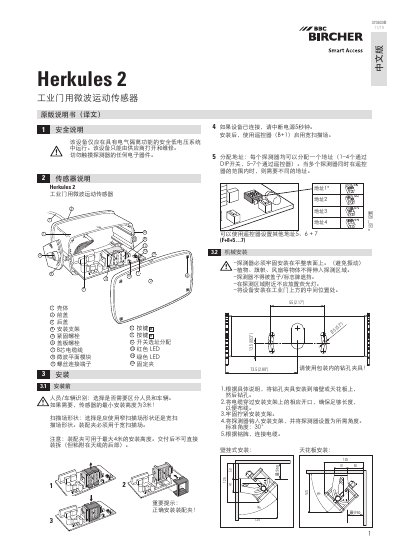
The Herkules 2 is a microwave motion sensor designed specifically for industrial doors. It features advanced capabilities such as personnel/vehicle identification, slow motion detection (SMD), and cross-motion masking (CTM) to ensure safety and reliability in various industrial environments. The device operates on safe low-voltage systems with electrical isolation. This manual is written in Chinese.
| Minimum installation height for P/V identification | 3 meters |
|---|---|
| Standard detection angle | 30° |
| Relay hold time (default) | 2 seconds |
| Operating voltage type | Safe low voltage with electrical isolation |
Press the 'G' key on the remote control to restore factory settings.
SMD detects the slightest (quasi-static) motion when an industrial door is open, keeping it open until no more motion is recorded within the monitoring time.
You can use the RegloBeam 2 remote control to easily program the sensor from the ground.