
This manual introduces the basic functions, usage methods and wiring methods of PDU5500-FIBER laser control card, mainly including product overview, installation size, appearance introduction, LED indicator light description, power interface, mirror control interface, firmware upgrade and usage instructions, etc.
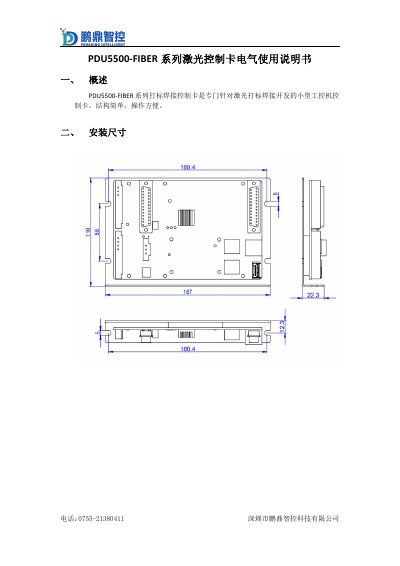
The PDU5500-FIBER series laser control card is a small industrial control card developed specifically for laser marking and welding applications. It features a simple structure and convenient operation. The document details the installation dimensions, appearance, and LED indicator meanings, advising users to check LED1 and LED6 immediately after powering on. This manual is written in Chinese.
| User I/O Max Output Current | 500mA |
|---|---|
| Laser Feedback Signal Level | TTL |
| Power Set Position Signal Level | CMOS |
| +5V Output Max Current | 600mA |
Check the status of LED1 and LED6. If they are abnormal, power off immediately to check the wiring.
It can control JPT MOPA, IPG, YLP, YLPN, Chuangxin, Raycus, and other lasers.