
Huidian V6.5.6.5 Option Trading Terminal User Manual

Instruction manual for Huidian Option, covering software functions and usage methods
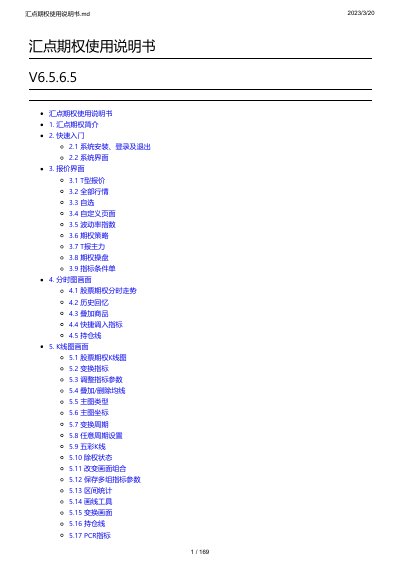

Huidian V6.5.6.5 Option Trading Terminal User Manual - cover page
Brand
Hui Dian
Category
Other software
Document type
User Manual
Language
Chinese
Pages
169
File format
PDF
File size
12.4 MB
Published
29 October, 2023
Updated
29 October, 2023
MD5 checksum
BFCAEDF9564DC30BADF3CF9FA12B5CB1

About this manual

This document is the user manual for the Huidian V6.5.6.5 stock option professional investment system. It provides comprehensive instructions on system installation, login procedures, and the various interface components including toolbars, system pages, and status bars designed for efficient trading. This manual is written in Chinese.

What's inside

  • System Installation and Login
  • Trading Interfaces
  • Order Execution Methods
  • Option Strategies
  • Condition Orders
  • Exercise Rights
  • System Settings
  • Help and Service

Frequently asked questions

What operating system is required to run the Huidian V6.5.6.5 Option Trading Terminal?

The software requires a Chinese Windows system, specifically Windows 7 or later.

What are the minimum hardware requirements for running the Huidian V6.5.6.5 Option Trading Terminal?

It requires a 2.5 GHz or higher CPU, 4G or more RAM, and at least 1G of free hard disk space.

What types of trading interfaces does the Huidian V6.5.6.5 Option Trading Terminal support?

It supports multiple order entry interfaces including lightning order, three-key order, quick key order, price-based order, mouse-click order, keyboard order, and pop-up order.

How can users switch the server for market data in the Huidian V6.5.6.5 Option Trading Terminal?

Users can switch the server by clicking '行情切换服务器' under the '系统' dropdown menu.

Download PDF (12.4 MB)

More Hui Dian Manuals


View all Hui Dian manuals →