
SLC SmartOne AC Dimmer Mini 200W Zigbee is a ZigBee AC phase-cut dimmer based on the latest ZigBee 3.0 protocol, supporting 100-240VAC wide input and output voltage, supporting resistive loads and capacitive loads, and can control the on/off and light intensity of connected Triac dimmable led light or led driver.
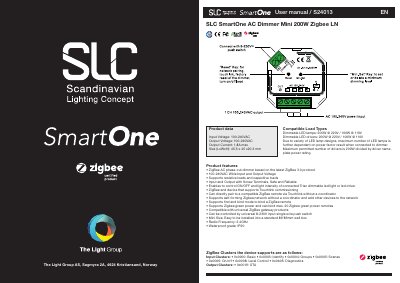
This user manual is for the SLC SmartOne AC Dimmer Mini 200W Zigbee, an AC phase-cut dimmer for ZigBee-based lighting control. It lists product data including 100-240VAC input and output, 1.8A maximum output current, and compatibility with dimmable LED lamps and drivers rated up to 200W at 220V or 100W at 110V.
The manual explains ZigBee network pairing, TouchLink commissioning, factory reset, find-and-bind, green power learning, and push switch control, along with wiring diagrams for triac dimmable drivers and dimmable LED lights.
| Input Voltage | 100-240VAC |
|---|---|
| Output Voltage | 100-240VAC |
| Output Current | 1,8A max |
| Power | 200W @ 220V / 100W @ 110V |
| Size | 45,5 x 45 x20,3 mm |
| Radio Frequency | 2.4GHz |
| Waterproof Grade | IP20 |
The dimmer supports 100-240VAC input and output voltage.
It can control dimmable LED lamps and drivers, with a power range of 200W at 220V or 100W at 110V.
Use the Reset button or re-power the device, or reset through a Zigbee remote or hub.