
Aetna is the brand name of insurance products, this document is an ACA renewal guide, introducing how to search and download renewal files on the SMART platform.
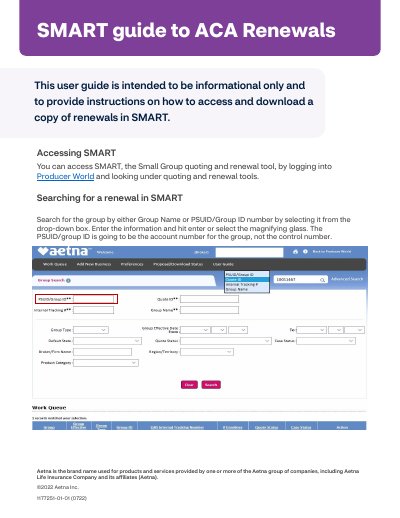
This guide explains how to access the SMART tool for ACA renewals. Users log into Producer World and navigate to quoting and renewal tools. To download a proposal, select 'Proposal' and then 'Download' from the 'Proposal Status' page. The guide also covers searching for renewals by group name or PSUID and pulling all renewals via Work Queue or advanced search by renewal month.
Access SMART by logging into Producer World and looking under quoting and renewal tools.
Search for the group by either Group Name or PSUID/Group ID number.
Select Proposal Status at the top of the screen, then select the link for Download.