
Attainment Company's Big Button easy-touch access! Holds 3” x 3” images. Weight: 8.1 oz. (.23 kg) Size: 57⁄8” across (14.6 cm).
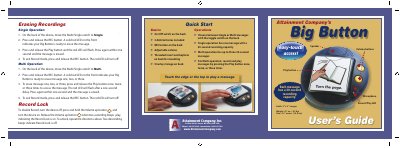
The Attainment Company Big Button is a communication tool designed for easy-touch access, holding 3" x 3" images and powered by two included AAA batteries. It features a large Play button with a removable transparent cap and adjustable volume controls. The device allows users to record and play messages with a 30-second capacity per recording.
| Recording Capacity | 30 seconds per message |
|---|---|
| Weight | 8.1 oz (.23 kg) |
| Size | 5 7/8" across (14.6 cm) |
| Power Source | 2 AAA batteries |
| Max Messages (Multi) | Three messages |
Press and release the Play button, then press it again within one second.
Turn the device off, press and hold the Volume up button, and turn it on until two ascending beeps play.
Touch the edge or the top of the device to play a message.