
This document is about the Philips Express Ion Smooth®+ hair straightener instructions manual, which introduces the product's usage methods, features, and functions.
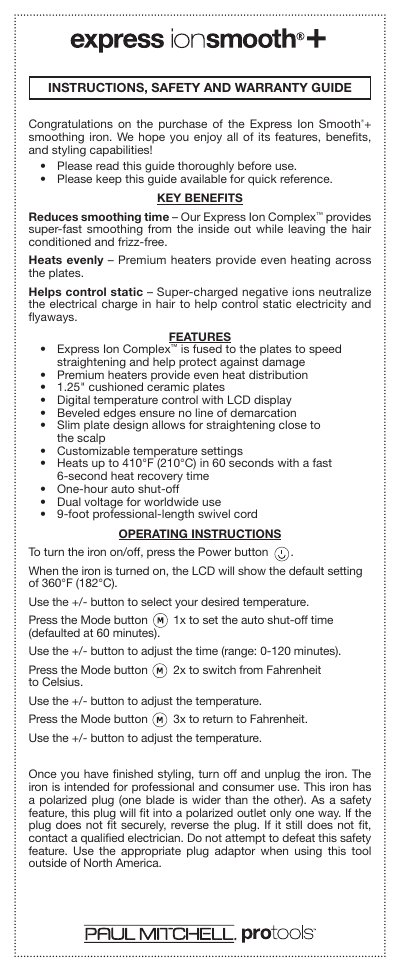
This guide covers the Express Ion Smooth®+ smoothing iron from Paul Mitchell Pro Tools. It explains the key benefits and features, such as the Express Ion Complex™ fused to the plates, premium heaters, 1.25" cushioned ceramic plates, digital temperature control with LCD display, customizable temperature settings, one-hour auto shut-off and dual voltage.
Operating instructions describe turning the iron on and off with the Power button, setting the temperature with the +/- button, and using the Mode button to set the auto shut-off time (0-120 minutes) and switch between Fahrenheit and Celsius. The guide also lists styling tips, a temperature setting chart by hair type, general specifications including model PS12NAV17, and important safety instructions. Maintenance, cleaning and the limited 12-month warranty terms and return procedure are included as well.
| Model | PS12NAV17 |
|---|---|
| Rated Voltage | 110-240VAC |
| Frequency | 50/60Hz |
| Rated Wattage | 40W |
| Length of A.C. Cord | 9 ft./2.7 m |
| Weight | 9.52 oz. (0.59 lbs.)/270 g |
| Plate size | 1.25" cushioned ceramic plates |
| Maximum temperature | 410°F (210°C) in 60 seconds |
| Warranty | 12 months from date of purchase |
The LCD shows a default setting of 360°F (182°C) when the iron is turned on.
Press the Mode button once to set the auto shut-off time (defaulted at 60 minutes), then use the +/- button to adjust it within a range of 0-120 minutes.
The temperature setting chart lists 370-410°F (188-210°C) for thick hair.
The iron is covered by a limited 12-month warranty from the date of purchase.