
This is a user manual of CTT-200 and CTT-300 torque tester, including instructions for use and safety
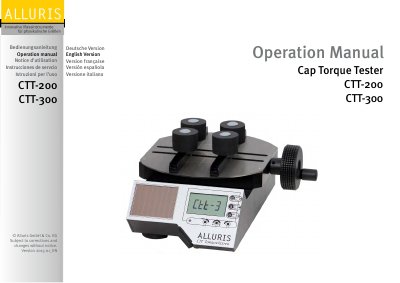
The CTT-200 and CTT-300 are portable Cap Torque Testers from Alluris designed for desktop use. They are used for torque testing to determine the forces needed to open and close screw caps or lids.
The operation manual covers safety instructions, scope of delivery, setup and control panel functions, starting operation, selecting measuring modes, taring, viewing and clearing readings, setting measurement parameters, data transfer via USB and Hirose socket, dimensions, specifications and service information.
| Display | 4-digit LCD |
|---|---|
| Operating temperature | 0 to 40 °C |
| Maximum relative humidity | 85% RH |
| Operating altitude | Up to 2,000 m above sea level |
| USB interface | USB 2.0 Mini-B socket for data transfer and battery charging |
| Digital I/O interface | 15-pin Hirose socket |
It is used for torque testing to determine the forces needed to open and close screw caps or lids.
The instrument is specified for 0 to 40 °C and a maximum of 85% RH.
Press the I-key for 2 seconds.
Expose it to light for at least 8 hours in the regular working environment above 250 Lux, or use the USB cable to charge it.