
This is an Arch Linux installation guide, which introduces how to install Arch Linux on an NVMe hard drive.
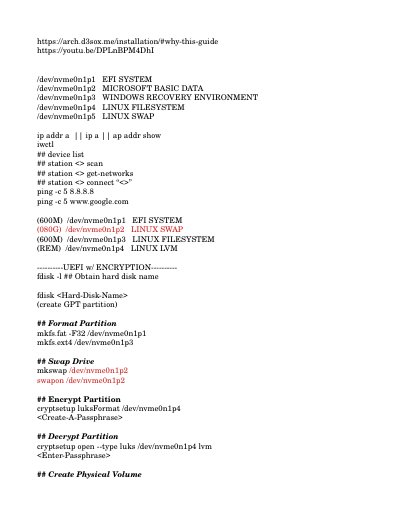
This guide walks you through installing Arch Linux, including partitioning, encryption, LVM setup, bootloader installation, and network configuration. It covers both UEFI and non-UEFI systems, with commands for formatting drives, setting up swap, and configuring GRUB. The guide also includes steps for setting up wireless, time, window managers, and multimedia support.
It assumes you are installing on a modern system with NVMe storage and provides detailed commands for creating partitions, mounting filesystems, and installing packages like base-devel, linux, and nvidia drivers.
The guide specifies a size of 080G for the EFI system partition.
The guide specifies a size of 600M for the Linux swap partition.
The command requires a data alignment of 1m.