
This is a user manual for gas detector
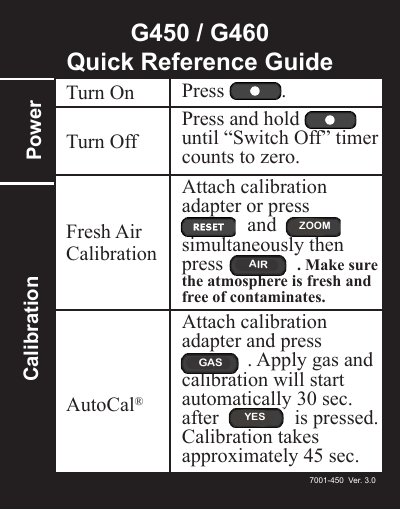
This document serves as a Quick Reference Guide for the Gas Detection G450 and G460 gas detectors. It provides step-by-step instructions for performing an AutoCal® calibration, which takes approximately 45 seconds after pressing the calibration button with a fresh atmosphere and adapter attached.
The guide also details how to manage optional features, specifically the Flashlight and Peak icon. Users can enable or disable these features by pressing specific buttons (GED or Gp) and holding them until beeps sound or icons change, with the Flashlight noted as an optional feature.
Press the button labeled 'Calibration'.
Calibration takes approximately 45 sec.
Press and hold until beep sounds and button label changes to Flashlight.
Press GED again, and the icon turns off.