
This document is about TruFlush Hardwired/Battery Flushometers products maintenance guide
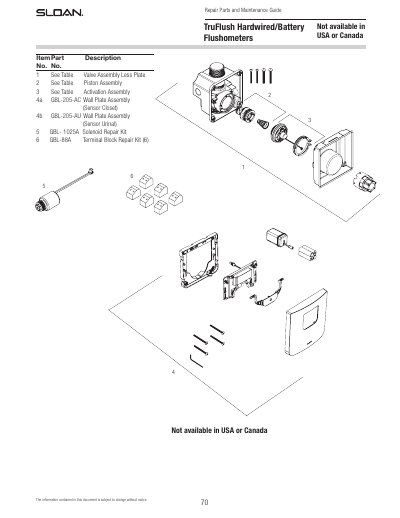
This guide provides detailed information on repairing and maintaining TruFlush hardwired and battery flushometers. It includes part selection guides for valve, piston, and activation assemblies, with color-coded matching for different flow rates. The document also covers troubleshooting common issues such as improper flushing, battery problems, and water pressure issues.
Parts are listed with part numbers, descriptions, and color codes for easy identification. Troubleshooting steps are provided for issues like sensor malfunctions, valve not flushing, or excessive water usage, with specific actions to resolve each problem.
| Flow Rate Options | 0.25 gpf/1.0 Lpf, 0.5 gpf/1.9 Lpf, 1.28 gpf/4.8 Lpf, 1.6 gpf/6.0 Lpf |
|---|---|
| Piston Color Codes | Orange (1.6 gpf), Green (1.6 gpf), Purple (1.28 gpf), Red (0.5 gpf), Burgundy (0.25 gpf) |
| Aspirator Assembly Colors | Orange (1.6 gpf), Green (1.6 gpf), Purple (1.28 gpf), Red (0.5 gpf), Burgundy (0.25 gpf) |
Ensure water supply is on, check if activation assembly sleeve is open, replace batteries if depleted, or replace the activation or sensor assembly if faulty.
Clean the metering bypass hole in the piston, adjust water pressure, or replace the piston if damaged.
Replace batteries if using battery model, or check battery box connection if using hardwired and battery model.