
This manual introduces the features and functions of the EasyPIC Fusion™ v7 development board, and how to use the board to develop projects.
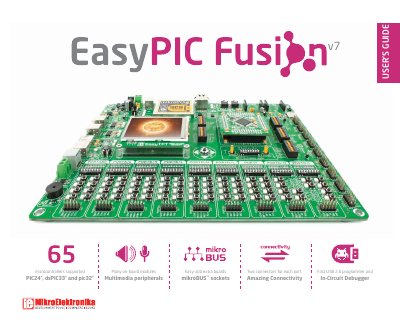
The EasyPIC Fusion™ v7 is a development board designed to support three Microchip® microcontroller families: PIC24®, dsPIC33®, and PIC32®. It features a range of on-board peripherals including a TFT display, audio input/output, microSD card slot, and mikroBUS™ sockets for Click™ Boards. The board includes an on-board mikroProg™ programmer and In-Circuit Debugger supporting over 65 microcontrollers. It is powered via USB, external DC/AC adapters, or screw terminals and uses a 4-layer PCB for stability and performance.
The board is designed for both beginners and professionals, with detailed instructions for powering the board, inserting MCU cards, and using its multimedia peripherals. It includes a 320x240 pixel TFT display with touch panel, stereo MP3 codec, and Ethernet controller on some MCU cards. The manual covers installation, power supply, supported MCUs, and peripheral usage with clear diagrams and step-by-step guidance.
| Supported Microcontrollers | PIC24®, dsPIC33®, PIC32® |
|---|---|
| Board Dimensions | 266 x 220mm (10.47 x 8.66 inch) |
| Weight | ~460g (1.014 lbs) |
| Power Supply Options | 7–12V AC or 9–15V DC or via USB cable (5V DC) |
| Power Consumption | ~143mA (all modules are disconnected) |
| MCU Card Microcontroller | PIC32MX795F512L |
| MCU Clock Frequency | 80MHz maximum |
| USB Support | Yes |
It supports PIC24®, dsPIC33®, and PIC32® microcontrollers.
You can power the board via USB, external DC/AC adapters, or screw terminals. Use jumper J9 to specify the power source and turn on the power switch.
The maximum clock frequency is 80MHz.
Ensure the power supply is off, align the MCU card with the silkscreen outline, place it over the socket, and press down until all pins are fully inserted.