
DBS PayLah! Esso card registration guide

Introduce how to register DBS PayLah Esso card
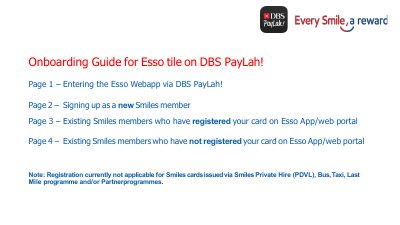

DBS PayLah! Esso card registration guide - cover page
Brand
DBS
Category
Other
Document type
User Manual
Language
English
Pages
5
File format
PDF
File size
536 KB
Published
21 October, 2023
Updated
21 October, 2023
MD5 checksum
76970F07ED9F99B297EADA872D714F08

About this manual

This guide explains how to register your DBS Esso card through the PayLah! app. New users can sign up as Smiles members and link their card. Existing Smiles members can register their card or skip if already linked. Registration is not available for cards issued via Smiles Private Hire, Bus, Taxi, Last Mile, or Partner programmes.

What's inside

  • Entering the Esso Webapp via DBS PayLah!
  • Signing up as a new Smiles member
  • Existing Smiles members who have registered your card
  • Existing Smiles members who have not registered your card
Download PDF (536 KB)

More DBS Manuals


View all DBS manuals →