
Elexol Ether I/O 24 Test and Programming Utility Manual

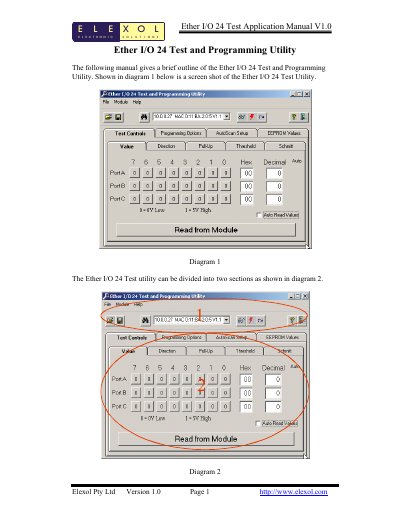
The document describes the use of Ether I/O 24 Test and Programming Utility, including the program interface and the use instructions of each function

Elexol Ether I/O 24 Test and Programming Utility Manual - cover page
Brand
ELEXOL
Category
Other Electronics
Document type
User Manual
Language
English
Pages
8
File format
PDF
File size
118 KB
Published
21 October, 2023
Updated
21 October, 2023
Model
O 24
MD5 checksum
2AF222DBE9D59A6E3D3EC6DEDAFDB7AA

About this manual

The Ether I/O 24 Test and Programming Utility is a software tool designed to configure and test the Ether I/O 24 module. The interface consists of two main sections: drop-down menus and a toolbar for commands, and selection tabs with specific controls for testing and programming.

What's inside

  • Drop Down Menus
  • Toolbar
  • File Menu
  • Module Menu
  • Scan for Modules
  • Write Settings to Module
  • Read Settings from Module
  • Test Controls
  • Programming Options
  • AutoScan Setup

Frequently asked questions

What happens when the Auto read values check box is checked?

It constantly reads Port A, B, C to see if the pin has changed.

When does a reboot of the module become required?

A reboot is required when changing settings on the Ether I/O 24 before the settings become active.

What is the base scan rate of the AutoScan mode?

The base scan rate is 1,000 scans per second.

Download PDF (118 KB)

More ELEXOL Manuals


View all ELEXOL manuals →