
X-MAKER 3D printer is a new product with a game-based 3D design application app. It is easy to print with a new and simple interactive design, intelligent optimization algorithm and high-speed WiFi data transmission. It is a creative artifact that everyone can use.
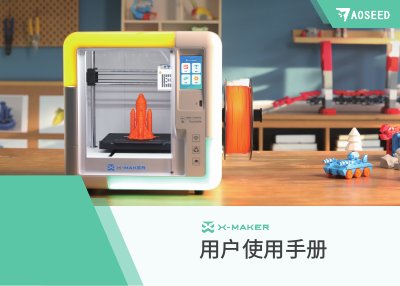
The X-MAKER V4.0 is an intelligent multifunctional 3D printer designed for ease of use, featuring a game-like design application and smart optimization algorithms. The device includes a flexible magnetic base, a material feeder, and a touchscreen interface for simplified operation. It comes with a dedicated X-MAKER App and X-PRINT slicing software to facilitate the design and printing process. This manual is written in Chinese.
| Product Model | V4.0 |
|---|---|
| Manufacturer | AoSeed (Shanghai) Digital Technology Co., Ltd. |
| Recommended Operating Temperature | 0-35°C |
| Warranty Period | 6 months |
Try reseating the USB drive, or format it to FAT32 if it is not a compatible drive.
The printer is recommended for use in an environment with a temperature between 0 and 35 degrees Celsius.
If a non-matching USB drive is used, the file system must be FAT32.
The feed temperature should be adjusted to 250 degrees Celsius.