
This manual introduces the basic functions and operating methods of the PFE Advanced 10 / 100 Outputs receiver.
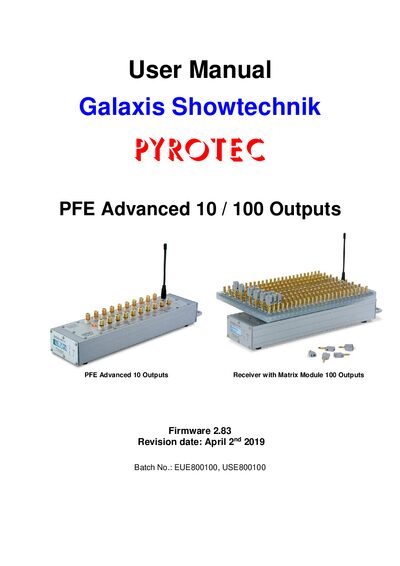
This manual describes the safe use and application fields of the PYROTEC PFE Advanced 10 / 100 Outputs receiver, covering display fireworks, stage pyrotechnics and special effects. It includes safety regulations, firmware information, menu navigation, and detailed instructions for switching the device on, off, and programming outputs.
The document also details optional accessories such as the Matrix Module, isolated switching interface, 230 V switching interface, and 0‑10 V output interface. Technical data, radio parameters for EU and US versions, dimensions, and maintenance procedures are provided to help users install, operate, and troubleshoot the receiver.
| Frequency Band (EU) | 433.05 - 434.79 MHz |
|---|---|
| Maximum radio‑frequency power transmitted (EU) | ≤10 mW |
| Number of radio channels (EU) | 70 |
| Receiver Sensitivity | -119 dBm @ 12 dB SINAD |
| Operating temperature range | -20 °C to +65 °C |
| Dimensions (Receiver) | 430 × 103 × 86 mm |
| Maximum switching current (isolated interface) | 1 A |
The isolated switching interface can handle up to 30 V.
The EU version operates in the 433.05 – 434.79 MHz band.
Select the operation mode "10 Output" and the ground mode "Common Ground" in the receiver's menu, then adjust the radio channel setting.