
Toledo Smart WiFi Smart Bulb User Manual

Toledo Smart WiFi Smart Bulb can be connected to Alexa/Echo-Dot and Google Home, and can be controlled by phone APP or voice.
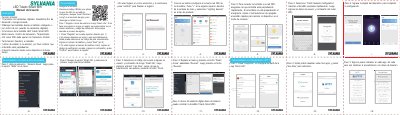

Toledo Smart WiFi Smart Bulb User Manual - cover page
Brand
Toledo
Category
lighting
Document type
User Manual
Language
Spanish
Pages
1
File format
PDF
File size
424 KB
Published
20 October, 2023
Updated
20 October, 2023
MD5 checksum
A50B1798BF6CDC1F52CDAE78FC4B1F46

About this manual

This manual explains how to set up and control the Toledo Smart WiFi Smart Bulb using voice assistants like Alexa and Google Home, or via a smartphone app. It includes steps for connecting the bulb to a 2.4GHz WiFi network and pairing it with the Smart Life app. The bulb supports scene modes, dimming, and timers. This manual is written in Spanish.

What's inside

  • Connecting to WiFi
  • Using Alexa
  • Using Google Home
  • Smart Life App Setup
  • Troubleshooting

Frequently asked questions

What WiFi frequency must the router operate on?

The router WiFi must operate with frequency 2.4GHz.

What should you do if the bulb is not blinking when powering it on?

Perform three quick on-off switches to restart the device in connection mode.

What app do you need to download to connect the bulb to your phone?

You need to download and install the "Smart Life" app.

Download PDF (424 KB)