
This quick reference guide provides an overview of the Fast Finance Reporting system.
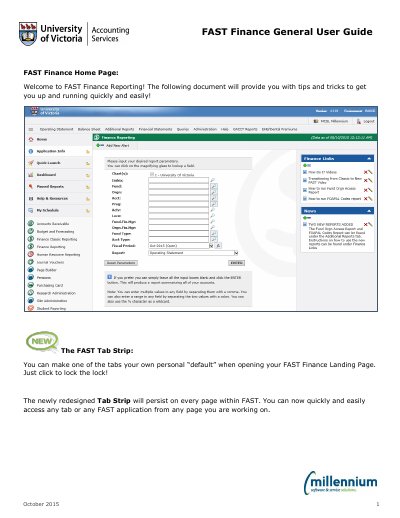
This guide introduces users to the FAST Finance Reporting System by Millennium, explaining how to navigate the interface, use filter options, run reports, and schedule automated deliveries. It covers features like the Tab Strip, search functionality, and report customization for efficient financial data access.
The guide also explains how to manage reports through the Pinned Reports library, use dynamic filters for date-based queries, and schedule reports to be delivered automatically via email or calendar integration.
Leave all input boxes blank and click the ENTER button to produce a report summarizing all accessible accounts.
Use the Report Scheduler tool to set frequency, day, time, start and end date, and format for automatic delivery.
Click the lock icon on the tab you want to make your default; it will change from unlocked © to locked &.