
Smarthome TouchLinc 2448 Quick-Start Guide

This is an intelligent home controller. It contains a stylus and a charger. It supports wireless connection, and can be programmed and controlled through a simple interface.
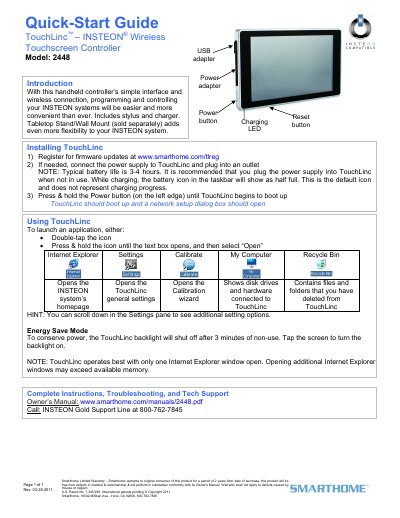

Smarthome TouchLinc 2448 Quick-Start Guide - cover page
Brand
smart home
Category
Other Electronics
Document type
Quick Start Guide
Language
English
Pages
1
File format
PDF
File size
2.6 MB
Published
20 October, 2023
Updated
20 October, 2023
MD5 checksum
3616A260C7905C7BB3FB79E0241C0E41

About this manual

This document is a Quick-Start Guide for the Smarthome TouchLinc 2448, a wireless touchscreen controller for INSTEON systems. It covers initial setup steps such as registering for firmware updates, connecting the power supply, and booting the device. The guide also explains the function of the physical buttons and the on-screen icons.

What's inside

  • Smarthome Limited Warranty
  • Charging LED
  • Power button
  • Installing TouchLinc
  • Register for firmware updates
  • Boot up process
  • Network setup dialog box
  • Using TouchLinc
  • Energy Save Mode
  • Reset button

Specifications

Warranty Period2 years
Battery Life3-4 hours
Model Number2448

Frequently asked questions

Where should I register for firmware updates?

You should register at www.smarthome.com/tlreg.

How long does the battery last?

The typical battery life is 3-4 hours.

What happens when I press and hold the Power button?

TouchLinc begins to boot up and a network setup dialog box should open.

Download PDF (2.6 MB)

More smart home Manuals


View all smart home manuals →