
Turbo Air TOM-L/S Night Cover Installation Guide

This file is a TOM-L/S Night Cover Installation Guide, which introduces the steps of replacing the night cover bracket and installing the night cover.
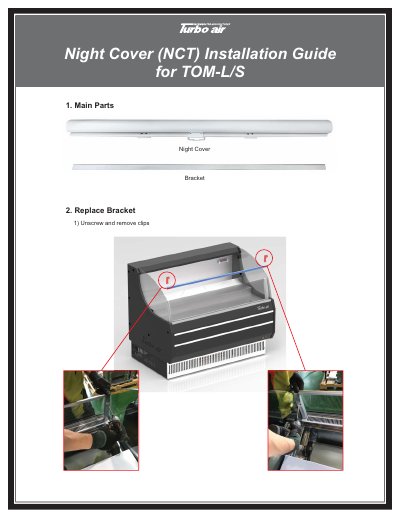

Turbo Air TOM-L/S Night Cover Installation Guide - cover page
Brand
Turbo Air
Category
Other
Document type
Installation Guide
Language
English
Pages
2
File format
PDF
File size
260 KB
Published
20 October, 2023
Updated
20 October, 2023
MD5 checksum
2B7844F7965D3B3A62A325690F9938A6

About this manual

This document serves as an installation guide for the Night Cover (NCT) associated with the TOM-L/S Night Cover Bracket. It outlines the necessary steps to install the cover, including removing the existing bracket and securing the new magnetic cover to the unit's top panel or rear case.

What's inside

  • Main Parts
  • Replace Bracket
  • Securely place magnetic Night Cover
  • Attach magnetic metal bar

Frequently asked questions

What is the purpose of the Night Cover?

The Night Cover is designed to be placed on the top panel or to the rear of the case.

How is the Night Cover attached to the bracket?

You pull the night cover down and attach its magnetic metal bar to the bracket.

Download PDF (260 KB)

More Turbo Air Manuals


View all Turbo Air manuals →