
This manual introduces the features and usage of Wells Fargo Account Aggregator. The tool allows users to aggregate Wells Fargo accounts and accounts held at other financial institutions, providing a comprehensive view of personal financial status.
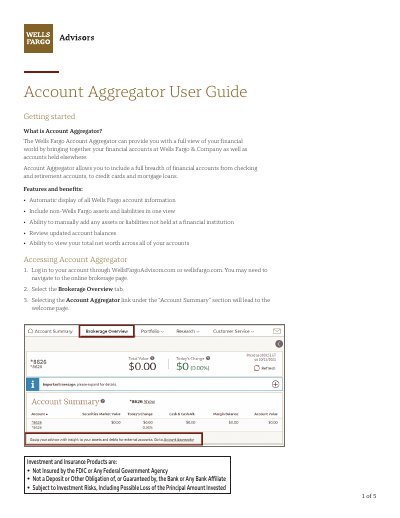
This guide explains how to access and use Wells Fargo's Account Aggregator, which consolidates financial accounts from Wells Fargo and external institutions. Users can view assets and debts, manually add accounts, and manage account visibility with advisors.
The tool includes features like automatic display of Wells Fargo accounts, linking external institutions via Plaid, and manual entry of non-institutional assets or debts. Users can also remove or re-link external accounts as needed.
Log in to your account through WellsFargoAdvisors.com or wellsfargo.com, navigate to the Brokerage Overview tab, and select the Account Aggregator link under 'Account Summary'.
Yes, you can link external financial institutions using Plaid or manually add assets or debts not held at a financial institution.
On the Account Details page, select the Disconnect all [e.g., Your Current Bank] accounts from your Account Aggregator link to remove all associated accounts.