
Topway X7808 2D Scanner User Manual

Topway X7808 User Manual, introduces how to use the Topway X7808 scanner
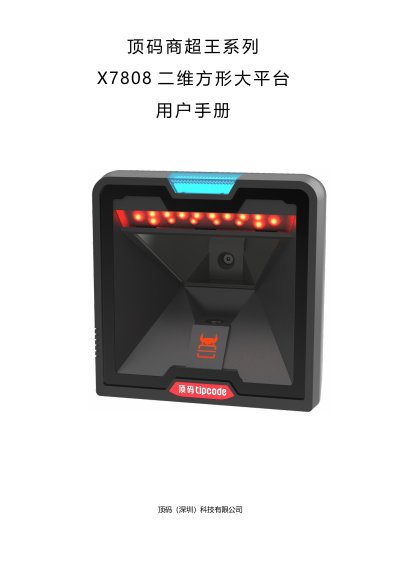

Topway X7808 2D Scanner User Manual - cover page
Brand
Topway
Category
Other Electronics
Document type
User Manual
Language
Chinese
Pages
162
File format
PDF
File size
2.8 MB
Published
19 October, 2023
Updated
19 October, 2023
MD5 checksum
94E68E3EABE13555455AFB939A8A8573

About this manual

This document is the user manual for the Topway X7808, a 2D square platform scanner manufactured by Topway (Shenzhen) Technology Co., Ltd. It details how to configure the device for various scanning environments and barcode types.

The guide covers essential operational procedures, including restoring factory defaults, saving user settings, and configuring system parameters such as standby time and backlight brightness. It also provides extensive instructions on decoding specific barcode symbologies like QR codes, Data Matrix, and Code 128, as well as setting up USB and serial communication modes. This manual is written in Chinese.

What's inside

  • User Default Settings
  • System Settings
  • Standby - Low Backlight
  • Sleep - Turn Off Backlight
  • Same Barcode Reading
  • Output Mode
  • USB Keyboard Mode
  • USB Virtual Serial Port
  • Serial Port
  • Barcode Decoding Length

Frequently asked questions

What is the default standby time for the Topway X7808 scanner?

The default standby time is 10000 milliseconds.

What is the maximum time setting for standby low brightness on the Topway X7808?

The maximum time is 3600000 milliseconds.

What is the minimum time setting for standby low brightness on the Topway X7808?

The minimum time is 1000 milliseconds.

What is the default hibernation time for the Topway X7808 scanner?

The default hibernation time is 60000 milliseconds.

Download PDF (2.8 MB)

More Topway Manuals


View all Topway manuals →