
This is a manual for a vibration frequency variable controller, which includes vibration sensor direction, installation appearance and wiring diagram
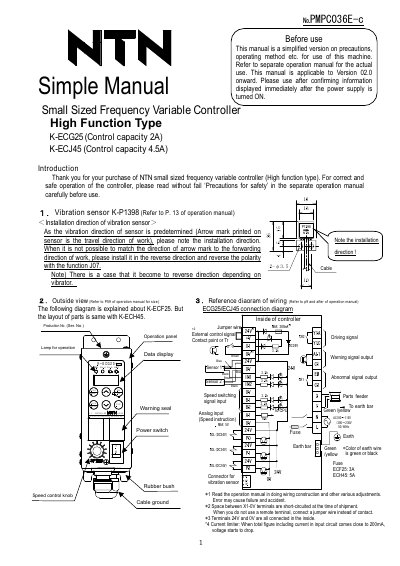
This manual provides simplified instructions for operating NTN’s small-sized frequency variable controllers, specifically the K-ECG25 (2A) and K-ECJ45 (4.5A) models. It covers installation of vibration sensors, wiring diagrams, function settings (J and H groups), and adjustment methods for constant voltage, constant amplitude, and resonance point tracking modes. Safety precautions and troubleshooting are referenced to the full operation manual. The document is version 02.0 and applies to controllers manufactured after July 2013.
| Control Capacity | K-ECG25: 2A, K-ECJ45: 4.5A |
|---|---|
| Initial Frequency (ECG25) | 140Hz |
| Initial Frequency (ECJ45) | 70Hz |
| Current Rating Range (ECG25) | 0.10~2.50(A) |
The models are K-ECG25 (2A) and K-ECJ45 (4.5A).
Start at the initial frequency (140Hz for ECG25, 70Hz for ECJ45), then gradually lower it using the down key until the vibration amplitude stabilizes at the resonance point.
The default mode is constant voltage mode.
Use function JO7 to reverse polarity if the sensor’s arrow mark cannot align with the work’s forward direction.