
This manual explains how to manually install all libraries needed to begin programming your ClearCore with Microchip Studio. Microchip Studio is the recommended full-featured IDE for writing, uploading, and debugging ClearCore application code.
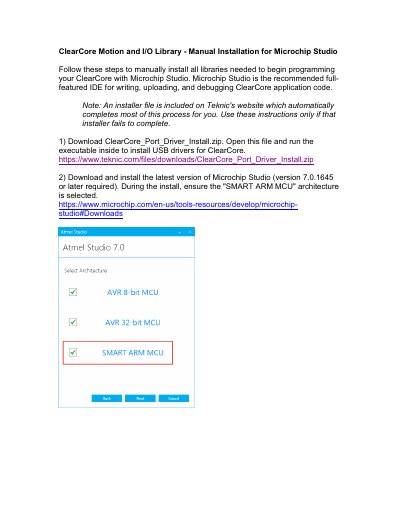
This guide explains how to manually install the ClearCore Motion and I/O Library and required drivers for use with Microchip Studio. It covers downloading USB drivers, installing Microchip Studio with the correct architecture, installing required device packs, cloning the library repository, and setting up a project template. The guide also details two methods for uploading code to ClearCore: via USB or using an Atmel-ICE debugger.
Version 7.0.1645 or later is required.
CMSIS 4.5.0 and SAME53_DFP 1.1.118 must be installed.