
This file is the CAN-IO control unit user manual
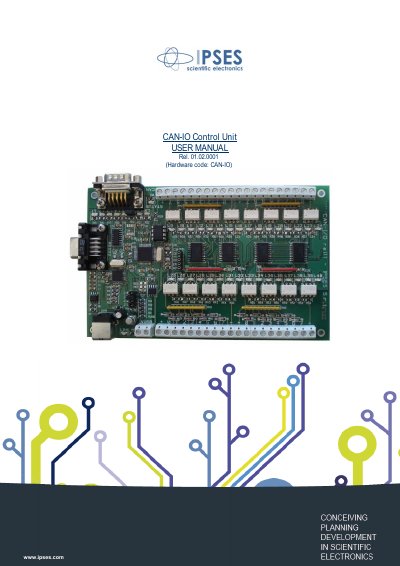
The CAN-IO Control Unit is an IPSES control unit on European Card Format (160 x 100 mm) with CAN, USB and RS232 interfaces. It can manage sixteen optocoupled inputs and sixteen optocoupled outputs, isolated in two groups of eight, and can work as a stand-alone device on CAN BUS.
This user manual, revision 01.02.0001, covers card connections and jumpers, driver installation, the configuration software, the communication protocol, the FTD2XX.dll usage example and firmware upgrade functionality. Configuration is achieved through USB or through the RS232 interface.
| Card format | European Card Format, 160 x 100 mm (6.30 x 3.94 inches) |
|---|---|
| Interfaces | CAN, USB and RS232 |
| Inputs | 16 optocoupled inputs |
| Outputs | 16 optocoupled outputs |
| Isolation | Two groups of eight, reciprocally isolated |
| Operating mode | Stand-alone device on CAN BUS |
It is a control unit on European Card Format with CAN, USB and RS232 interfaces.
It can manage sixteen optocoupled inputs and sixteen optocoupled outputs, isolated in two groups of eight.
Yes; it can work as a stand-alone device on CAN BUS.
Configuration is achieved through USB or through the RS232 interface.