
Dragon Medical One Quick Reference Guide is a guidebook about using Dragon Medical One, introduces the best practices for using DragonBar and PowerMic.
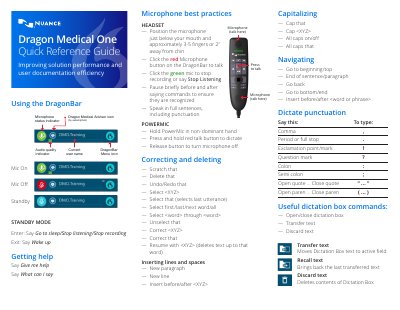
This guide explains how to use the DragonBar microphone with Dragon Medical One to improve dictation performance and user efficiency. It covers microphone operation, voice commands for text editing, punctuation, navigation, and managing vocabulary. The guide also includes step-by-step commands, auto-texts, and anchor dictation for seamless workflow integration.
Additional sections cover training resources, support options, and best practices for accurate dictation, including microphone positioning and cursor placement.
Click the red Microphone button to talk and the green mic to stop recording or say 'Stop Listening'.
Use commands like 'Scratch that', 'Delete that', or 'Correct that' to edit dictated text.
Say 'New paragraph' or 'New line' to insert text breaks.
Say 'Manage vocabulary', search for the word, correct it, and click '+' to add a new word or phrase.