
The document is a user manual, which introduces the Clarity Ensemble's usage methods, installation methods, registration methods, etc.
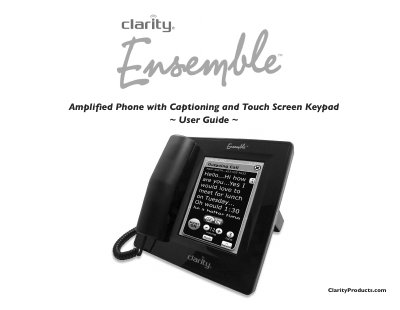
This user guide explains how to install, configure, and use the Clarity Ensemble amplified telephone with captioning. It includes safety instructions, setup for Wi-Fi and phone line, and troubleshooting tips. The device requires high-speed internet for captioning and comes with a Wireless Access Point for easy setup. The guide also covers care, maintenance, and privacy considerations for the device.
The Ensemble is designed for users with hearing loss and includes features like a touch screen keypad, captioning, and ClarityLogic customer support. It connects via Wi-Fi to a router and requires a power adapter. Safety precautions are emphasized, including avoiding moisture, not disassembling the device, and unplugging during cleaning or if malfunction occurs.
| Dimensions | L: 233.8mm W: 258.7mm H: 164.3mm (stand at 30°) |
|---|---|
| Weight | 1512g (unit with adapter and handset) |
| Power Source Input | AC 100-240V/60 Hz |
| Power Source Output | DC 5V/3A |
| Wi-Fi Standard | IEEE 802.11 b/g/n |
| Frequency Range | 2.402GHz to 2.482GHz |
| RF Transmission Power | 802.11b: 15 dBm +/- 2 dBm, 802.11g: 15 dBm +/- 2 dBm, 802.11n: 13 dBm +/- 2 dBm |
| Power Consumption (Standby) | 400mA (screen off), 810mA (screen on) |
| Power Consumption (Usage) | 1.4A (power up), 830mA (boost mode + captioning) |
| Operating Temperature | 0°C to 40°C |
| Relative Humidity | 20% – 80% (dry) |
ClarityLogic is a customer support service that allows you to contact Clarity’s representatives by pressing a button on your phone. It provides immediate access to your phone’s model and settings to help troubleshoot quickly.
Yes, to enable the captioning feature, you need access to high-speed Internet in your home.
ClarityLogic may not work if your phone service is provided by a broadband service provider.
Unplug the product from the power outlet immediately and contact Clarity Customer Service at 800-426-3738.