
This is a startup manual for PCE-5120, which introduces the functions and features of PCE-5120, including CPU, BIOS, chipset, system memory, SATA/IDE interface, FDD interface, serial port, parallel port, video interface, IPMI interface, etc.
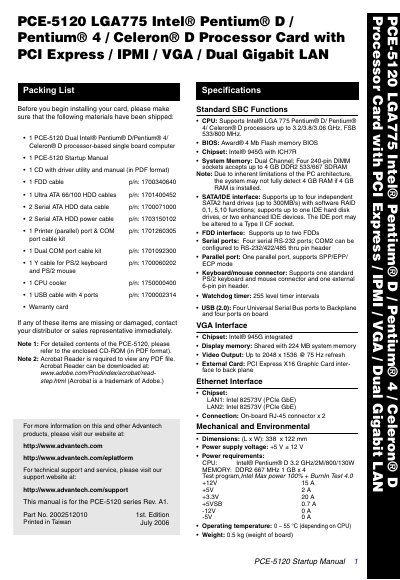
This document serves as a startup guide for the Advantech PCE-5120, a single board computer featuring Intel LGA 775 processors and dual Gigabit LAN. It outlines the contents of the packing list, ensuring all necessary cables and components are present before installation begins.
The manual details the board's physical layout, including the location of connectors and jumpers, and provides instructions for configuring jumpers for functions such as CMOS clearing and serial port selection. It also includes specific safety warnings regarding battery replacement and CPU cooler installation.
| CPU Support | Intel LGA 775 Pentium D/Pentium 4/Celeron D |
|---|---|
| Chipset | Intel 945G with ICH7R |
| System Memory | Up to 4 GB DDR2 533/667 SDRAM |
| Ethernet | Dual Gigabit LAN |
| Dimensions | 338 x 122 mm |
| Operating Temperature | 0 ~ 55 °C |
The packing list includes the PCE-5120 board, startup manual, CD with drivers, various cables (FDD, HDD, SATA, etc.), a CPU cooler, and a warranty card.
To clear CMOS data, set the CMOS1 jumper pins to positions 2-3.
The JSETCOM2 jumper configures the COM2 serial port function to RS-232, RS-422, or RS-485.