
This is the user guide of iQue 3DS XL, which introduces the basic operations of the product, including charging, turning on, setting, playing built-in software and connecting to the Internet
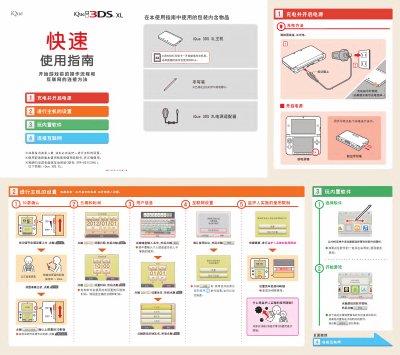
This guide helps users set up the iQue 3DS XL before playing games. It covers charging, power on, 3D screen confirmation, date/time, user info, internet connection, and parental controls. The device includes a 4GB SDHC card and stylus. Internet setup requires a wireless router with AOSS or WPS support. Parental controls can limit 3D features and other functions. This manual is written in Chinese.
Connect to a wireless router with AOSS or WPS support. Go to HOME menu > Settings > Internet Settings > Add Connection > follow the steps.
It restricts usage of certain features like 3D display. Set it up during initial setup or later via Settings > Parental Controls.