
the nord electro 2 is the second generation of the nord electro series, which supports usb connection and new piano sounds. it can download new piano sounds to the computer and rearrange the piano configuration.
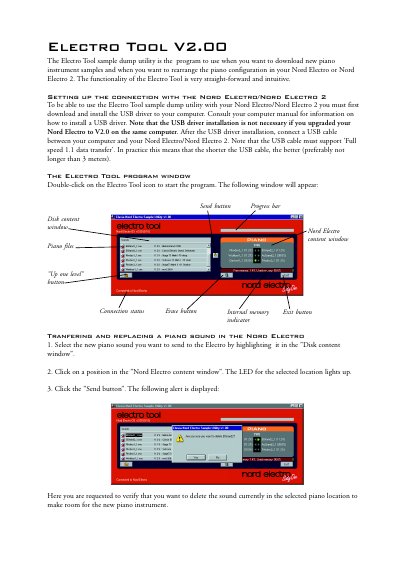
The Electro Tool V2.00 is a utility program designed to download new piano instrument samples and rearrange the piano configuration on Nord Electro or Nord Electro 2 keyboards. To use the tool, users must first install the USB driver on their computer, unless they have upgraded their Nord Electro to V2.0 on the same machine. A USB cable supporting 'Fullspeed 1.1 data transfer' is required for the connection.
No, the USB driver installation is not necessary if you upgraded your Nord Electro to V2.0 on the same computer.
The USB cable must support 'Fullspeed 1.1 data transfer', and shorter cables are preferred, preferably not longer than 3 meters.