
This manual guides users through the steps to make a remote connection with one of our engineers
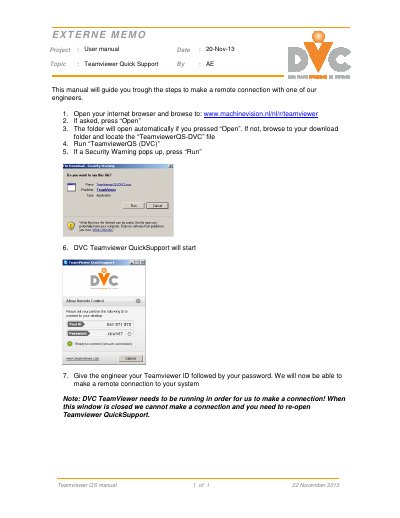
This document is a user guide for TeamViewer Quick Support AE, designed to facilitate remote technical support. It provides step-by-step instructions on how to download and launch the software via a web browser.
The manual details the process of initiating a secure connection by providing an ID and password to an engineer. It also includes important notes regarding the necessity of keeping the application running during the session.
Open your internet browser and browse to www.machinevision.nl/nl/r/teamviewer, then run the downloaded file.
If a Security Warning pops up, press “Run” to proceed.