
Pluto E220 is a mini PC based on Intel Baytrail processor with Mini-ITX form factor. It supports Windows 7/8 and Android systems.
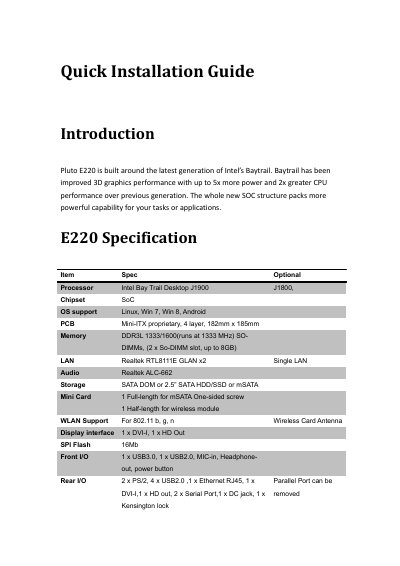
This document serves as a Quick Installation Guide for the Pluto E220 Mini PC. It introduces the device, which is built around Intel's Baytrail architecture, and provides a detailed list of technical specifications including processor options, memory support, and interface connectivity.
| Processor | Intel Bay Trail Desktop J1900 J1800 |
|---|---|
| Chipset | SoC |
| OS support | Linux, Win 7, Win 8, Android |
| PCB | Mini-ITX proprietary, 4 layer, 182mm x 185mm |
| Memory | DDR3L 1333/1600(runs at 1333 MHz) SO-DIMMs, (2 x So-DIMM slot, up to 8GB) |
| LAN | Realtek RTL8111E GLAN x2 Single LAN |
| Audio | Realtek ALC-662 |
| Storage | SATA DOM or 2.5 SATA HDD/SSD or mSATA |
| Power supply | 65W, 19V, Power Adapter |
| VESA Mount | Yes (100mmx100mm) |
The device supports Linux, Windows 7, Windows 8, and Android.
The system supports up to 8GB of DDR3L SO-DIMM memory.
Yes, it supports VESA mounting with a 100mmx100mm standard.