
Troubleshooting Guide
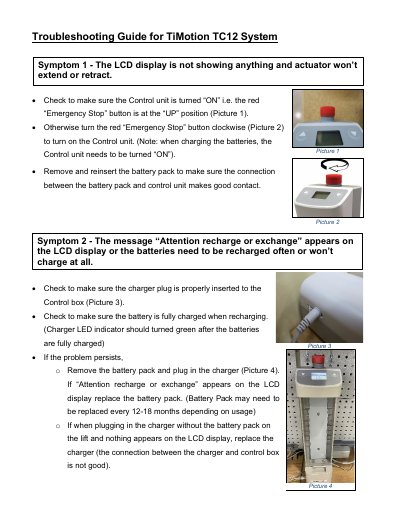
This document provides a troubleshooting guide for the TiMotion TC12 System. It outlines steps to resolve common issues such as the control unit not turning on, LCD display failures, and charging problems by checking emergency stop buttons, battery connections, and charger plugs.
The guide also addresses specific symptoms including actuator failure to extend or retract, frequent battery depletion, and operational discrepancies between the control box and hand pendant. It includes diagnostic steps for voltage checks and component replacement recommendations.
The battery pack may need to be replaced every 12-18 months depending on usage.
The output of the charger should be over 26.5V DC.
The Charger LED indicator should turn green after the batteries are fully charged.