
This file introduces the features and characteristics of the ROMEOZero-ELITE micro open reflex sight, including a 3 MOA dot or circle/dot reticle, molded glass aspheric lens, carbon infused ultralight polymer housing, 8 user-selectable brightness levels, MOTAC (Motion Activated Illumination System), T.A.P. (Touch-Activated Programming) mode, anti-reflection grooves, integrated rear backup sight, Swiss Super-Luminova® glow-in-the-dark notch, and a highly efficient point source LED emitter
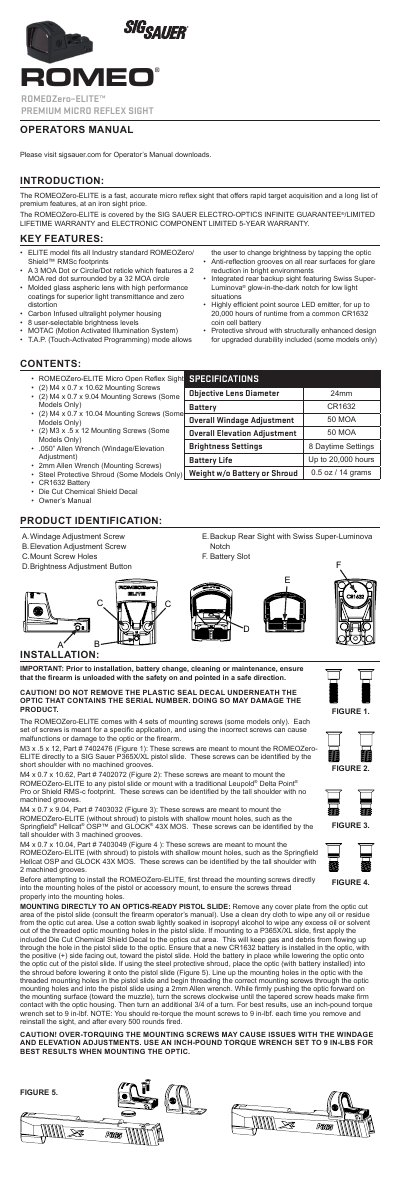
This document is the Operator's Manual for the SIG SAUER ROMEOZero-ELITE, a micro open reflex sight designed for rapid target acquisition. The manual details the product's key features, including its A3 MOA dot or circle/dot reticle, MOTAC motion-activated illumination system, and TAP (Touch-Activated Programming) mode for brightness and reticle adjustments.
| Reticle Options | A3 MOA Dot or Circle/Dot |
|---|---|
| Brightness Levels | 8 user-selectable |
| Battery Type | CR1632 |
| Weight (without battery) | 0.5 oz / 14 grams |
| Windage Adjustment | 50 MOA |
| Elevation Adjustment | 50 MOA |
| Mounting Torque | 9 in-lbs |
Press and hold the brightness adjustment button for 2 seconds to turn the sight ON or OFF.
If no motion is detected for 2 minutes while the optic is ON, the sight will automatically turn off to conserve battery life.
TAP (Touch Activated Programming) mode allows users to adjust brightness or cycle reticles by lightly tapping the optic housing.